Get the app

Questions about Rutila

Rutila is an Android app that turns three selfies into realistic photos of you. Here is what happens to your photos and everything it can do.

Getting started

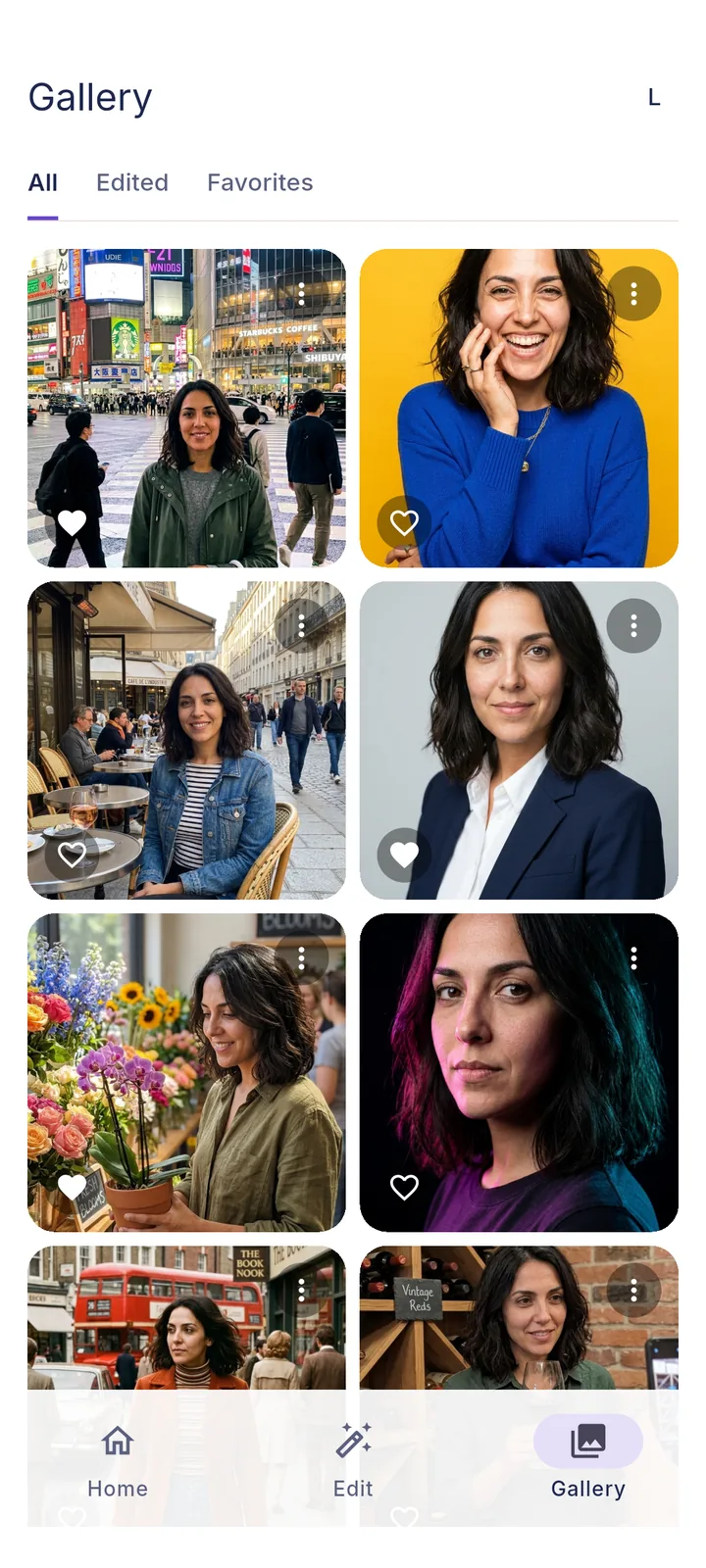
Rutila gallery with photos of one person in Tokyo, Paris, London and in the studio

What is Rutila?

Rutila is an AI photo app for Android that turns three selfies into realistic photos of you: business headshots, 40 looks and travel photos from 50 destinations. You take the selfies once; every photo after that is made from them. Rutila also edits any photo, from outfits to smiles.

How does Rutila work?

You take three guided selfies: front, slightly angled and in different light. Then you pick a look or a destination. Rutila sends a copy of the selfies with your choice to Google's Gemini image models and returns finished photos within minutes, saved to your phone's Rutila gallery.

Do I need a studio or a good camera?

No. Your phone's front camera is enough. The app guides you through three shots: face centred without sunglasses or headwear, a quarter turn, and one in different light, outside or by a window. It checks each selfie before you continue.

Who can use Rutila?

Anyone aged 18 or over. You confirm your age when you register. You may only upload photos of yourself, or of people who have agreed to it.

Your photos and privacy

Does Rutila store my selfies and photos?

No. Your selfies and your gallery stay on your phone. For each photo you create, one copy of the selfies is sent to the server and deleted after generation. The finished image stays there at most 24 hours so your phone can download it. Back up your gallery yourself if you change phones.

Are my photos used to train AI?

No. Rutila does not use your photos to train AI models, does not sell them and does not create face templates or other biometric data from them. They are only used to create the photos you ask for.

Results

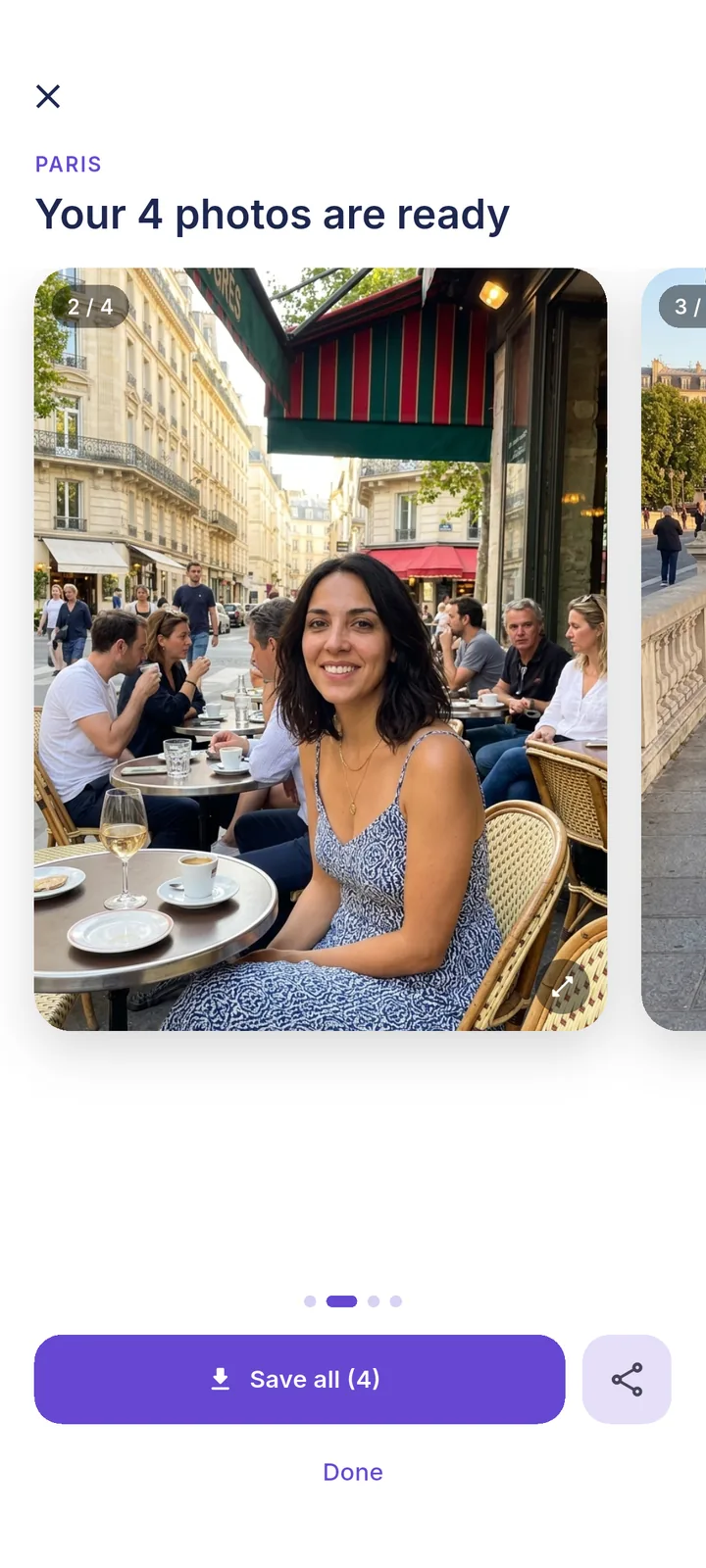
Four finished Paris photos in Rutila

Will the photos look like me?

Rutila uses all three selfies as a reference for your face. It is built to keep your features, age, hairstyle and facial hair. Clear, sharp selfies in even light give the closest likeness.

Which destinations can I travel to?

50 destinations with four scenes each, from Paris and Tokyo to Bali, New York and Cape Town. The full list is below. You can also upload your own photo of a place and Rutila puts you into it.

Editing

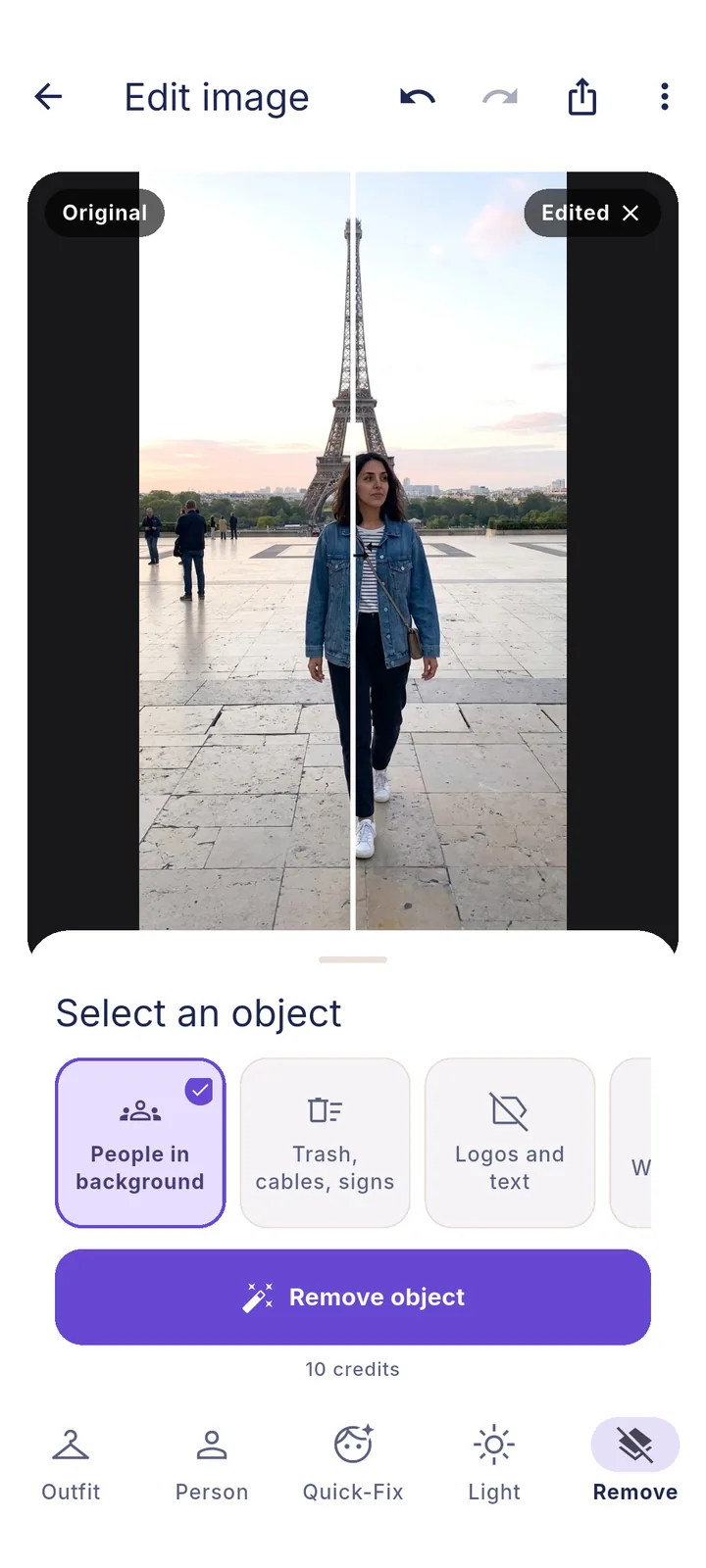
Rutila editor removing people from the background at the Eiffel Tower

What can I change in a photo?

Outfit, smile and expression, closed eyes, face and body shape, skin, beard and hair, light and quality, and unwanted people or objects. Each change is one tap on a card, no prompts needed. The full list of options is below.

How does trying on clothes from a shop work?

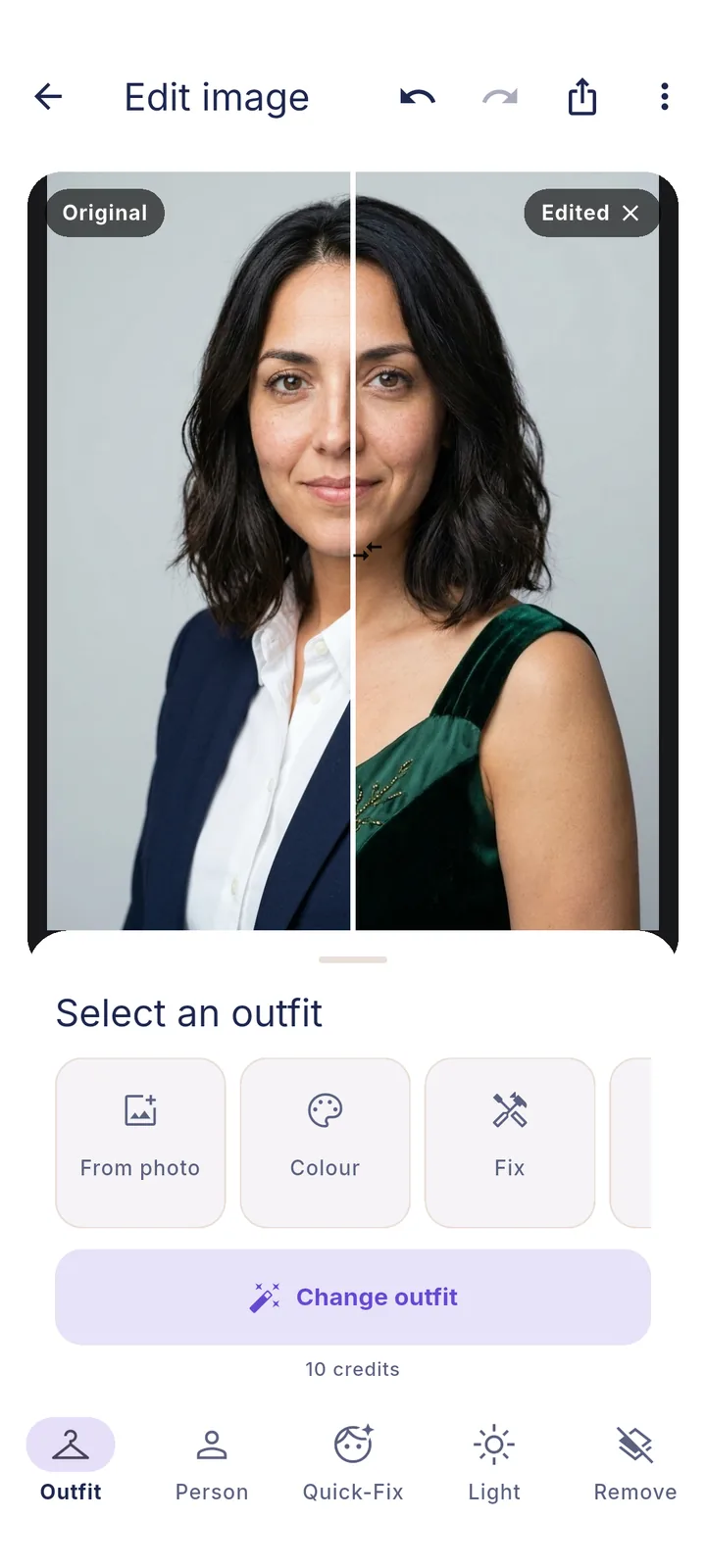
Take a screenshot of an outfit in any online shop, open your photo in the editor and choose Outfit, then From photo. Rutila puts the complete outfit on you and keeps your face, pose and background.

Account & partners

How do I delete my account?

In the app under Profile, Privacy & data, Delete account. Unused credits are forfeited. Cancel a running subscription separately in Google Play, because deleting the account does not stop it.

Everything Rutila can do

The complete list of edit options, looks and destinations in the current app version.

Edit options

The editor has five tabs. Each option is one tap, you can combine several and undo any step.

Outfit

From photo
the complete outfit from a shop screenshot or any photo
Colour
black, white, grey, navy, light blue, beige, olive, burgundy
Fix
fix clothing (stains, lint, pet hair, pilling, holes, wrinkles), remove tags or straps, clean shoes

Person

Smile & expression
smile without teeth, smile with teeth, wide smile, friendlier, more relaxed, more serious, fix eyes (open, no squint, look at camera)
Eyes & gaze
open closed eyes, look at the camera, balance gaze, reduce squinting
Face
slimmer face or cheeks, define cheekbones, remove double chin, bigger eyes, reduce hooded eyelids, fuller lips, narrower or straighter nose, straighten teeth; up to three at once, in three strengths
Body
slimmer, more muscular, straighter posture

Quick-Fix

Skin
blemishes and redness, dark circles, shiny skin, eye bags
Hair & beard
beard line, tidy hairline, flyaways
Teeth
whiten teeth

Light

Light
soft light, fix backlight, balance mixed light, recover overexposure, golden hour, more natural light, improve night photo
Quality
more natural skin tones, improve camera quality

Remove

Remove
people in the background, trash, cables and signs, anything you mark
Rutila editor comparing an original photo with a new outfit
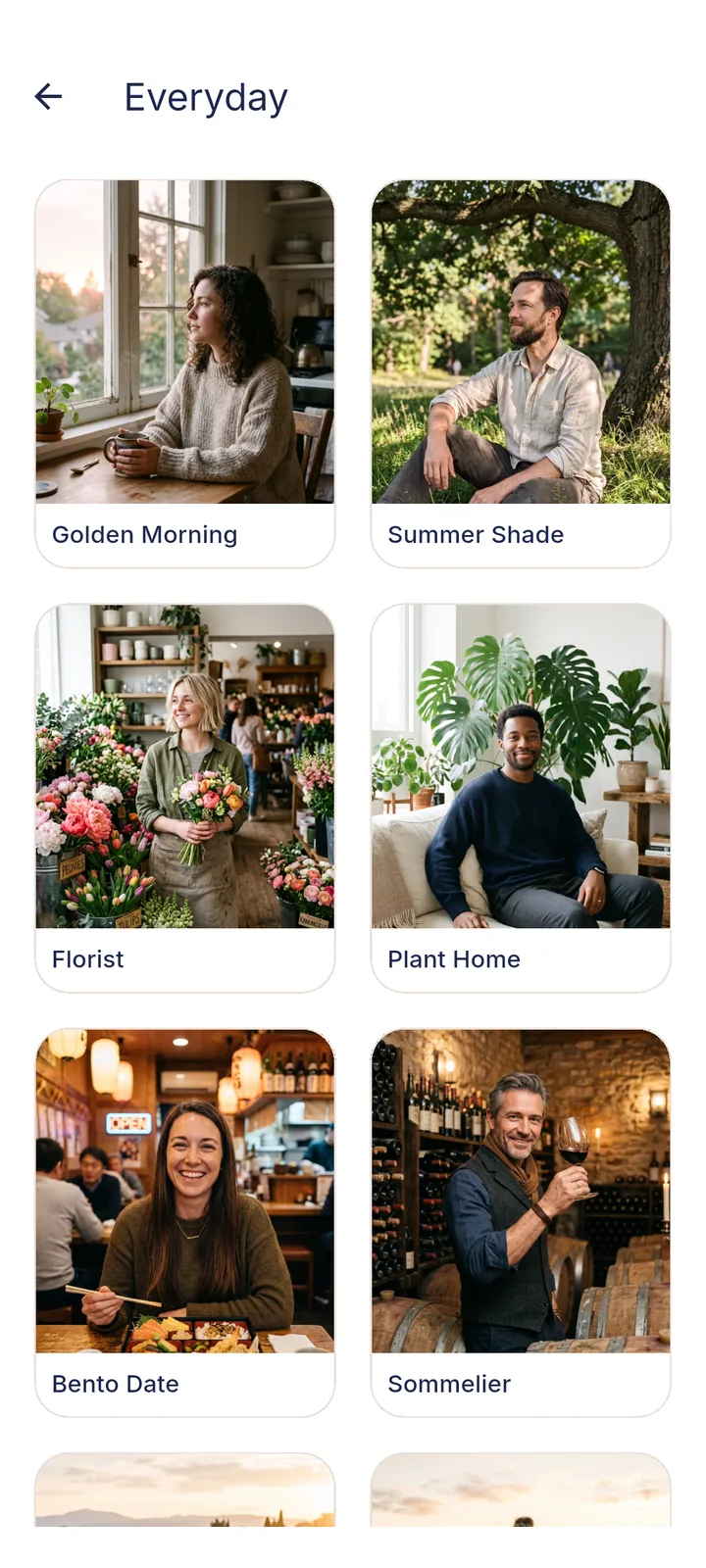
Rutila look picker with Golden Morning, Florist and other looks

40 looks

Each look creates one photo of you; the Business Headshot creates two.

Practical
Business Headshot
Lifestyle
Sommelier, Bento Date, Plant Home
Fun & scenes
Couple, Future Family, Golden Morning, Western, Retro Neon, Roman Empire, Astronaut
Style & illustration
70s Street Style, Comic Book, 80s Anime, Watercolor, Game Hero, 3D Animation, Chibi
Creative
Florist, Guest Star, City Mural, Yoga Morning, Oil Portrait, Magazine Shoot, Free Fall, Sweet Shop, Summer Shade, Lavender, Plush Me, Arcade, Blue Dream, Forest Elf, Pulp Cover
Football
Goalkeeper, Player Card, Goal Celebration, Team Pet, Sideline Coach, Player Portrait, Hometown Hero

50 destinations

Four scenes per destination, one photo per scene.

Europe
Paris, London, Lisbon, Barcelona, Rome, Santorini, Amalfi Coast, Amsterdam, Prague, Vienna, Iceland, Swiss Alps, Lofoten, Mykonos, Dubrovnik, Istanbul
Asia
Tokyo, Kyoto, Seoul, Bali, Bangkok, Singapore, Hong Kong, Maldives, Krabi, Vietnam, Jaipur, Sri Lanka, Shanghai
Middle East & Africa
Dubai, Cappadocia, Petra, Marrakech, Cape Town, Safari, Zanzibar, Egypt
Americas
New York, Los Angeles, Miami, San Francisco, Mexico City, Tulum, Medellín, Rio de Janeiro, Buenos Aires, Cartagena
Oceania
Sydney, Queenstown, Bora Bora

Start with 50 free credits

Three selfies, then your first five photos.

Get it on Google Play